
WISH ESS
ProtaTECH Inc.Events
4.041.00 Reviews
- Version
- 5.0.3
- Installs
- 10.00K
- Age Rating
- Everyone
Screenshots
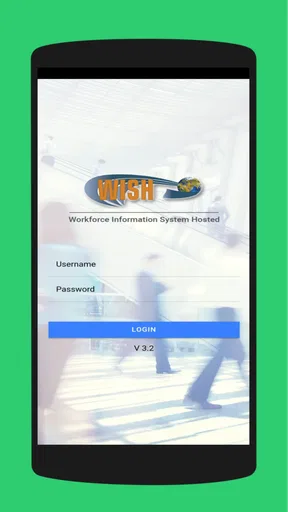
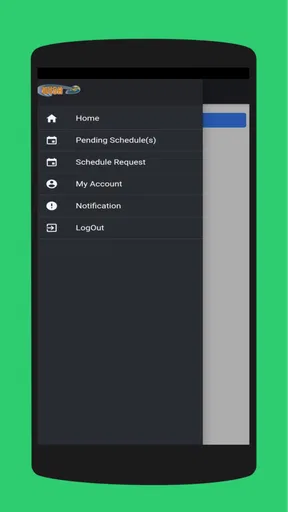
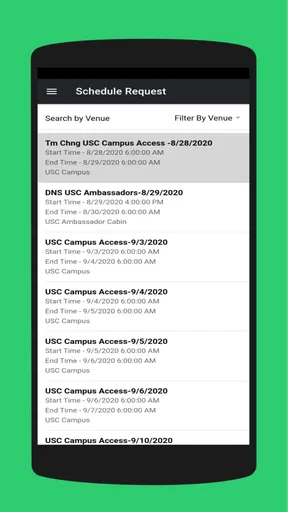
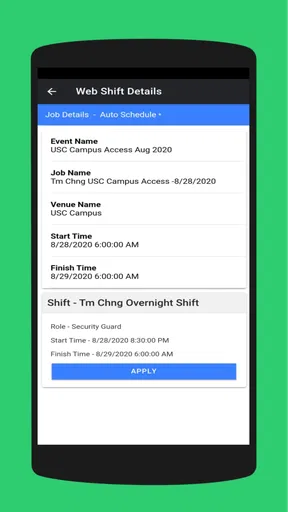
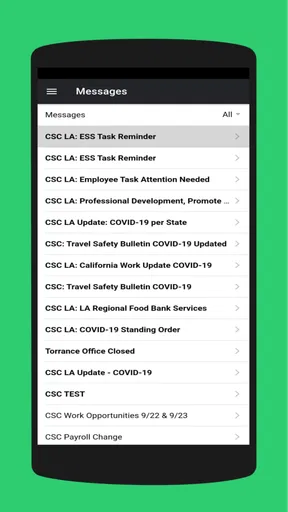
Our Review of WISH ESS
 Analysis by Appyee
WISH ESS is an employee self-service app from ProtaTECH Inc., built for people who need a practical connection with their workplace while away from a desk. I approached it as an everyday work tool rather than a general event app, and that distinction matters: its value depends less on entertainment and more on how consistently it fits into an employee’s routine.
The app is free, carries an Everyone age rating, and has passed the modest but meaningful test of more than ten thousand installs. Its average score sits at 4.0, based on over a hundred ratings, so the overall picture is positive without suggesting that every user experience is identical. I found that a fair way to view it. WISH ESS can simplify employee tasks, but it is most useful when treated as one part of a workplace process rather than as a complete replacement for every communication or administrative channel.
How WISH ESS fits into a normal workday
The basic workflow is straightforward: install the app, open the employee portal, sign in with the workplace credentials or access method supplied by the organization, and use the available employee-service functions from there. Because the exact portal content is controlled by the employer, the first useful step is not tapping through every screen randomly. I would first identify the few actions I expect to perform most often, then check how quickly I can reach them from the opening screen.
That approach makes a difference with an employee portal. If I am checking something before a shift, submitting a routine request, or looking for a workplace notice, I do not want to spend time exploring unrelated areas. A short familiar path is more valuable than a long list of features. WISH ESS works best when I learn the route for my own role and repeat it until the app becomes a predictable part of the day.
A realistic example would be an employee preparing for work on a phone rather than a computer. I could open the portal, review the information relevant to the upcoming day, complete the required action, and close it without moving between several separate systems. That is the central appeal of an employee self-service app: it places routine workplace interactions in a mobile setting, where they are available at the moment they are needed.
I would not expect the same screen layout or available options for every organization using it. An employee portal is shaped by the employer’s setup, account permissions, and internal procedures. Two people may therefore see different practical uses even though they have the same application installed. This is not a weakness unique to WISH ESS, but it is important when deciding whether the app will solve a particular problem. The organization’s configuration matters as much as the app itself.
Start with a small, repeatable routine
My recommendation is to create a simple first-week routine. Use the app for one or two known tasks, note where those tasks live, and avoid changing several account or device settings at once. This gives you a clear sense of whether a problem comes from the app, the workplace account, or the way the portal has been configured.
It also prevents a common mistake: assuming that every item visible in an employee system needs immediate attention. A portal can contain information that is useful occasionally but irrelevant during most workdays. Separating frequent actions from occasional ones keeps the experience less cluttered and makes the app feel faster, even when the underlying screens have not changed.
For employees who share devices or use a phone for both personal and work matters, I would be especially careful about signing out when the device is not private. The app is designed for employee access, so the account itself deserves the same care as any other workplace login. I would also avoid relying on memory for credentials if the organization provides an approved sign-in method or password process.
Settings and account habits worth checking
The most useful “settings” work is often outside the app’s visual preferences. Before judging WISH ESS, I would check the phone’s notification controls, battery behavior, network access, and account permissions. A portal can appear unreliable when the real issue is that the operating system has silenced notifications, restricted background activity, or changed how the app behaves on mobile data.
Notifications deserve a deliberate choice. If the workplace uses the portal for time-sensitive notices, turning every alert off may cause avoidable delays. On the other hand, allowing every possible notification can make the phone noisy and encourage users to ignore the important ones. I prefer to keep alerts enabled when they support a real work responsibility, then use the phone’s notification controls to reduce distraction rather than abandoning alerts altogether.
It is also worth checking whether the app is current. WISH ESS is listed at version 5.0.3, and the minimum operating-system requirement is Android 7.0. Keeping the app and phone software in a compatible state is a basic but often overlooked step. When an employee portal behaves strangely after a phone update, I would first close and reopen it, check for an available app update, and confirm that the device still meets the stated requirement before assuming that the account is broken.
Another practical habit is to review the app after changing phones. A new device may have different notification defaults, battery-saving rules, screen-lock behavior, or saved-account handling. I would not copy every setting blindly from the old phone. Instead, I would sign in carefully, verify that the expected employee information is present, and confirm that the app is not being restricted during the periods when I need it.
These checks are more valuable than searching for decorative customization. WISH ESS is a work portal, so the settings that affect reliability and privacy matter more than visual personalization. If you only open it occasionally, a short review of these controls before an important workplace task can prevent unnecessary frustration.
Faster patterns for experienced users
Once the basic route is familiar, speed comes from reducing decisions. I would place the app where it is easy to reach, keep the sign-in process consistent, and avoid opening it from a notification only to search for the same destination again. The goal is not to rush through workplace actions; it is to remove the small pauses that make routine tasks feel harder than they are.
A useful pattern is to group portal use around natural moments in the day. For example, I might check it before leaving home, after arriving at work, or at the end of a shift, depending on what my organization expects. A scheduled habit is safer than opening the app repeatedly without a purpose, especially when the portal is not intended to replace every urgent communication method.
I would also keep a personal note of the exact names of the sections I use most. This sounds simple, but it helps when a workplace administrator changes the arrangement or when I need to explain a process to a colleague. Instead of saying “look around until you find it,” I can remember the route and notice quickly if the portal has changed.
For recurring submissions or confirmations, I would prepare the information before opening the app. Have the relevant dates, details, or reference information ready, then complete the process in one focused session. This is a better use of a mobile portal than opening it while distracted, switching between apps, and later wondering whether an action was completed.
There is a trade-off here. A shortcut can save time, but speed should not replace checking the final result. With workplace information, I would pause after submitting or updating anything important and look for the app’s confirmation or changed status. If the portal does not make that result obvious, I would keep my own brief record until I know how the organization confirms completion.
Another advanced habit is separating “information lookup” from “action taking.” When I only need to read something, I avoid changing unrelated settings or opening forms. When I need to submit a request, I give it a separate moment and review the details before finishing. This reduces accidental edits and makes it easier to identify what happened if the app closes or the connection becomes unstable.
Where the app is useful, and where it is not enough
WISH ESS is a good fit for employees who want a mobile route into workplace services and who perform recurring administrative tasks away from a desktop. It is particularly sensible for people whose workday does not revolve around a computer, because a phone-based portal can be more convenient than waiting until they return to a workstation.
It is less compelling for someone whose employer rarely uses the portal or whose daily work depends mainly on live conversation. If a manager, supervisor, or official workplace channel is the only accepted place for urgent instructions, I would not treat the app as a substitute. An employee self-service tool can organize routine access, but it should not be used to bypass established procedures.
The same caution applies to people expecting a broad event-discovery application. Although the app sits in the Events category, its identity is clearly tied to WISH employee access. I would install it because my organization uses it, not because I am looking for public event listings, social planning, or a general calendar replacement. That distinction prevents a disappointing first impression.
Compared with a mobile browser, the dedicated app can feel more focused because it is built around the employee portal rather than a general web session. A browser may be preferable when I need to move between several workplace websites or when I use a device where installing an app is inconvenient. Compared with email, messaging, or a paper process, WISH ESS offers a more structured place for employee-service interactions, but it cannot replace those alternatives when the organization assigns them a different role.
Compared with a broad workplace suite, its narrower purpose can be an advantage. I am less likely to confuse employee-service actions with chat, document editing, or general collaboration. The disadvantage is that I may still need other tools for communication and work content. In practice, I would use WISH ESS for the portal tasks it handles and keep the organization’s official communication channels for matters that require conversation, escalation, or immediate attention.
Limits that affect the real experience
The biggest limitation is dependence on the employer’s setup. The app can only be as useful as the services made available through the account. If a function is missing, delayed, or organized in an unintuitive way, reinstalling the app may not solve the underlying issue. I would first determine whether the problem affects the application itself or the workplace portal configuration.
Account access is another point of friction. A forgotten password, changed employee status, expired access, or incorrect organizational setup can stop the workflow before the app becomes useful. This is why I would keep the organization’s approved support route available. A mobile portal should make normal access easier, but it cannot independently repair an account controlled by an employer.
Mobile convenience also has boundaries. Small screens are excellent for checking and completing focused tasks, but they are not ideal for reviewing large amounts of information or comparing several records at once. If a process becomes complicated, I would switch to a larger screen or the organization’s normal desktop route when available. Forcing every task onto a phone is not a sign of mastery; knowing when to change tools is better judgment.
Connectivity can shape the experience too. I would avoid beginning an important submission in a weak signal area, especially if I cannot easily verify whether it went through. If the app appears to stall, I would wait rather than repeatedly tapping the same control, then check the resulting status before trying again. Repeated submissions are a needless risk in any workplace system.
Privacy is a practical consideration rather than a reason to avoid the app. Because WISH ESS is connected to employee information, I would use a screen lock, avoid leaving the account open on a shared phone, and be cautious when reviewing workplace details in public. These habits are especially important for employees who use a personal device for work access.
What I would want to know before installing
Would I pay for it? No payment is required to use the app, which makes the decision easy when an employer has selected it. The more important question is whether the organization has actually connected the employee services I need. Installing it is worthwhile when it is part of the official workflow; otherwise, it may have little practical value.
Is it suitable for everyone? The Everyone rating makes it broadly accessible from an age-classification perspective, but suitability still depends on the employee’s role and workplace instructions. A general rating does not mean every person will find the portal useful, nor does it remove the need to protect account information.
Will it replace a browser or email? I would not plan on that. It can be the quickest route for supported employee-service tasks, while a browser may remain better for broader web work and email or messaging may remain necessary for communication. The strongest setup is usually a clear division of responsibilities rather than forcing one tool to do everything.
What should I do if a feature is missing? I would confirm that I am using the correct account, check the app and phone basics, and then ask the organization’s designated support contact. Since the portal is employer-managed, support from the workplace is more likely to resolve access or configuration questions than repeated reinstallations.
Is it worth learning beyond the first login? Yes, but selectively. I would learn the paths I use repeatedly, the notification behavior that matters to my role, and the way the portal confirms completed actions. I would not spend time memorizing areas that never apply to my work. That balance gives the app a real productivity benefit without turning a simple employee tool into another system to manage.
My verdict after using it as a work tool
WISH ESS succeeds when I judge it by the right standard: not as a flashy consumer app, but as a mobile doorway to employee services. ProtaTECH Inc. has positioned it for a specific workplace need, and the free access, broad age rating, and established presence on Android make it easy for an organization to place in an employee workflow.
My strongest recommendation is to build a repeatable habit around it. Check the phone settings that affect alerts and access, learn the shortest route to the tasks that matter, prepare information before starting a submission, and verify the result before closing the app. Those small habits produce more value than constantly searching for new options.
I would recommend it to employees whose organization actively relies on WISH ESS and who want a convenient mobile alternative to occasional desktop access. I would be more cautious for people looking for a general events app, a full collaboration suite, or a universal replacement for workplace communication. In those situations, another tool may be better suited.
Overall, the app earns its place when it turns a recurring employee task into a clear, manageable phone workflow. The real advantage is dependable routine, not feature overload. If your workplace has configured the portal around the services you need, WISH ESS is worth keeping installed and learning properly. If not, its usefulness will remain limited by the account and process behind it, no matter how often the app is reopened.
Verdict
Strengths of WISH ESS
- Simple interface makes browsing and ordering products straightforward.
- Frequent discounts and promotions can make purchases more affordable.
- Large product selection across fashion, home, electronics, and accessories.
- Order tracking helps monitor deliveries from dispatch to arrival.
- Personalized recommendations make discovering new products easier.
Limitations of WISH ESS
- Product quality and appearance may vary significantly between sellers.
- Delivery times can be unpredictable, especially for international orders.
- Some items may look different from their listing photos.
- Returns can involve shipping costs or a lengthy refund process.
- Customer support response times may vary depending on the issue.
Similar Picks in This Category
View All
Easy Quran Mp3 Audio Offline
Muslim Worldapp4.7

Invitation Maker: Cards & RSVP
Greetings Island4.9

StubHub - Live Event Tickets
StubHub4.3

Fever: Events & Tickets
Fever Labs4.7

Epic Freebie Games Radar
Arioch Pds - Apps & Games4.4

Invitation card Maker, Design
Splendid App Maker4.9
Frequently Asked Questions
What is WISH ESS and what can I use it for?
WISH ESS is an employee self-service application designed to give staff convenient access to workplace information and common human resources services from a mobile device. Depending on how an organization has configured it, employees may be able to view personal details, check attendance or schedules, submit leave requests, review payslips, access announcements, and track requests without contacting the HR department for every update.
Who can use WISH ESS, and do I need an account from my employer?
WISH ESS is generally intended for employees of organizations that use the WISH ESS platform. Downloading the app alone usually does not create access. You will normally need login credentials, an employee ID, or an activation process provided by your employer. If your company has not enabled the service or your account has not been registered, the application may not allow you to sign in or use its employee features.
What features are available in WISH ESS?
The exact features can vary according to the organization’s subscription, configuration, and permissions. In a typical setup, WISH ESS may include employee profile management, attendance records, leave applications, approval tracking, payroll or payslip viewing, company notices, document access, and internal requests. Some options may be visible only to managers or HR personnel, so not every user will see the same menus.
Is my personal and employment information secure in WISH ESS?
Because WISH ESS can handle sensitive employment information, users should sign in only through the official application and keep their credentials private. Security also depends on the employer’s account settings, device protection, connection, and the app’s current version. Avoid using shared devices, enable a screen lock, log out when appropriate, and install updates from the official Google Play Store or Apple App Store.
What should I do if WISH ESS does not work or I cannot log in?
First, check that your internet connection is stable and that you are entering the credentials supplied by your employer correctly. Updating or restarting the app may resolve temporary problems, while clearing the cache on Android or reinstalling the app can help with corrupted data. If your password is rejected, your account is inactive, or company information is missing, contact your organization’s HR or WISH ESS administrator.
